
GenomeProt: an integrated proteogenomics data analysis platform for long-read RNA-Seq datasets
Developed by Hitesh Kore, Ching Yin Wan and Josie Gleeson at The University of Melbourne
Workflow steps:
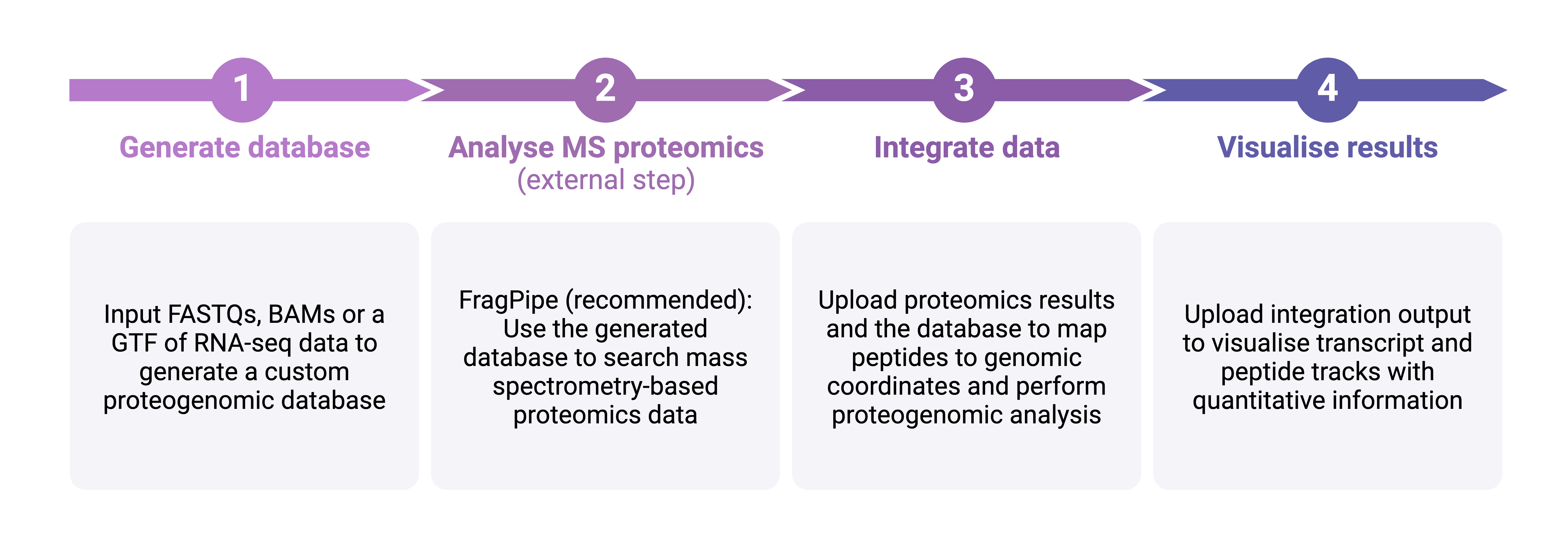
Preprint: https://doi.org/10.64898/2026.08.06.743133
Quick start: Try using GenomeProt with test data
First, click here to go to the test data directory of the GenomeProt GitHub repository. Download all five files in the directory and decompress them.
Next, click the button below to head to the GenomeProt help guide. Follow the instructions to upload test data where appropriate.
Generate a custom proteogenomics database
Creates an amino acid FASTA of all ORFs in your data to use as input for FragPipe/MaxQuant etc.
Find short (10 to 'Minimum ORF length' amino acids) ORFs in the UTRs of reference transcripts:
This module is not included in the public GenomeProt server. Users interested in performing proteomics searches through GenomeProt must install and use GenomeProt locally.
Integrate proteomics results with transcriptomics
Creates BED12s and GTFs of peptides, ORFs and transcripts for visualisation and produces summary data
Part 1: Reformat proteomics results files
Note 1: All proteomics results files with a file extension of '.txt' or '.csv' will be renamed to have a file extension of '.tsv'.
Note 2: Ignoring the file extension, if a proteomics results file with the name 'peptide_data' was uploaded, it will be renamed to 'peptide_data_renamed.tsv'.
Download the reformatted proteomics results file:
Download reformatted results file (peptide_data.tsv)Part 2: Upload files to integrate
The IsoVis website is displayed above for convenience. It is also accessible directly at: https://isomix.org/isovis/
Instructions for using IsoVis
Step 1: Click 'Upload data'.
Step 2: For the 'Transcript data' file, upload 'combined_annotations.gtf'. For the 'Transcript counts' file, upload 'bambu_transcript_counts.txt'.
Step 3: For the 'Peptide intensities' file, upload the peptide intensities file from the proteomics pipeline you used (e.g. 'report.pr_matrix.tsv'), then click 'Apply'.
Step 4: Type the symbol or ID of a gene to view, select it from the list of results displayed, then either press enter or click '>'.
Step 5: To see the mappings of peptides to open reading frames, click on the 'Stack options' dropdown menu and select 'Peptide mapping'.